Overview
Housecall is a healthcare service in the UAE, across Abu Dhabi, Dubai and Al Ain. Patients see licensed doctors virtually or at home, get lab tests at home and have prescriptions delivered.
I joined as Housecall’s first product hire, and I’ve been designing the patient app since. It’s where patients book consultations, see their medical history, and chat with their doctors and our admin team.
My scope covers onboarding, booking, health records and messaging, and how each of them connects to our EHR on the other side.
Where we started
Before the app, the patient experience lived in a lot of places. Most bookings came through this long form on the website, filled in again every time. The rest came in over phone calls and WhatsApp.
After a visit, the admin team reached out to each patient by hand to deliver their prescriptions and lab results. There was a mobile app, but it saw little use and its onboarding wasn’t doing it any favours.
Onboarding
The web form asked for name, phone number, date of birth, nationality, religion, language, the Emirates ID number and a copy of the Emirates ID. Everything on that list is already printed on the card.
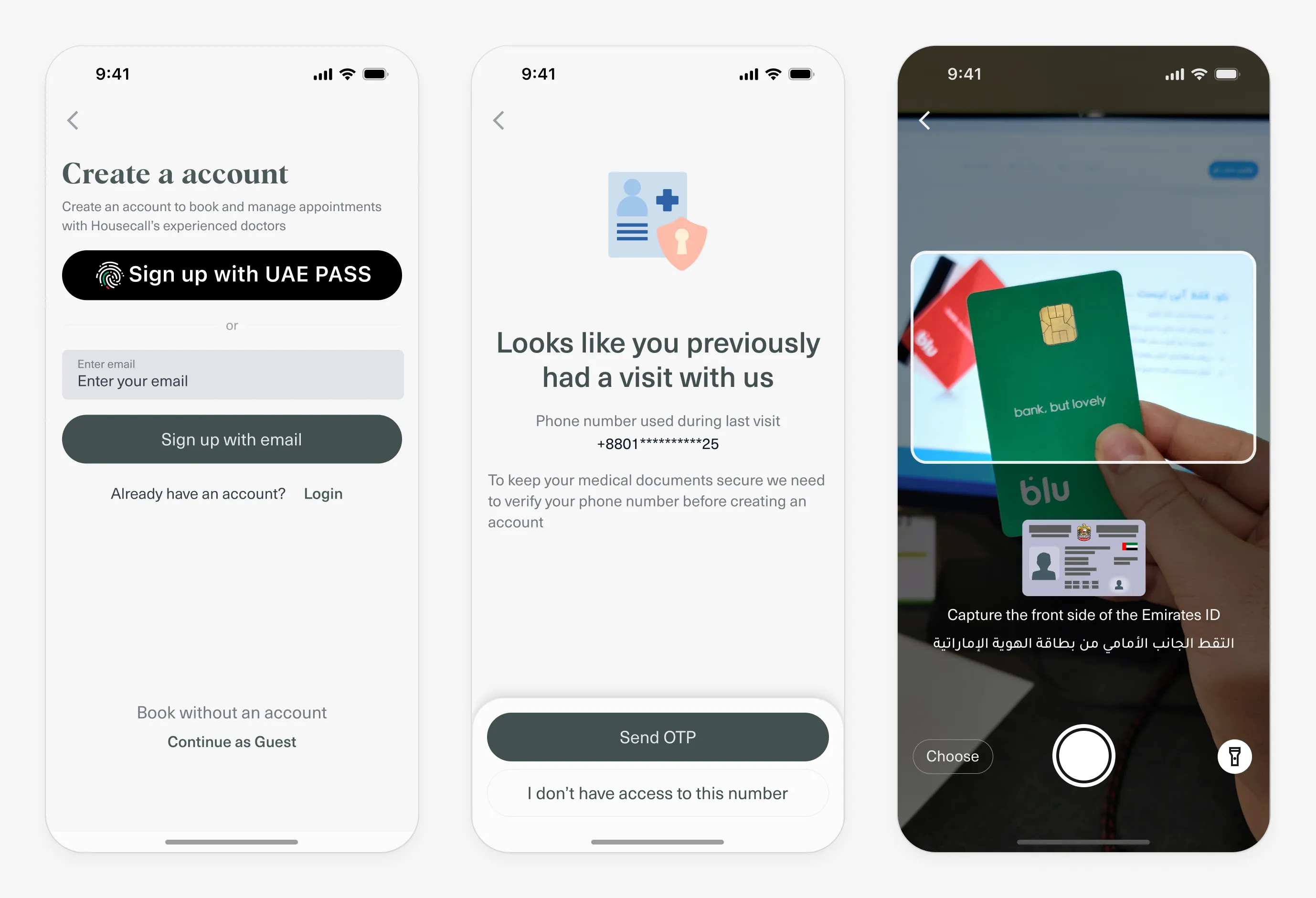
In the app, onboarding does that work behind the scenes. On the left, patients can sign up with UAE PASS, with email, or skip it and book as a guest. In the middle, if you’ve booked as a guest before, we recognise you and ask you to verify your phone number with a one-time code before we bring your records across.
On the right is the one thing we still ask for: the Emirates ID, captured with the camera, since we need it for compliance. The rest is filled in when our admin team registers the patient in the EHR, so the patient never sees the long form again.
Booking
The old flow started with the doctor. Pick one from a dropdown, then look for a slot. If there wasn’t a suitable one, go back and try another doctor.
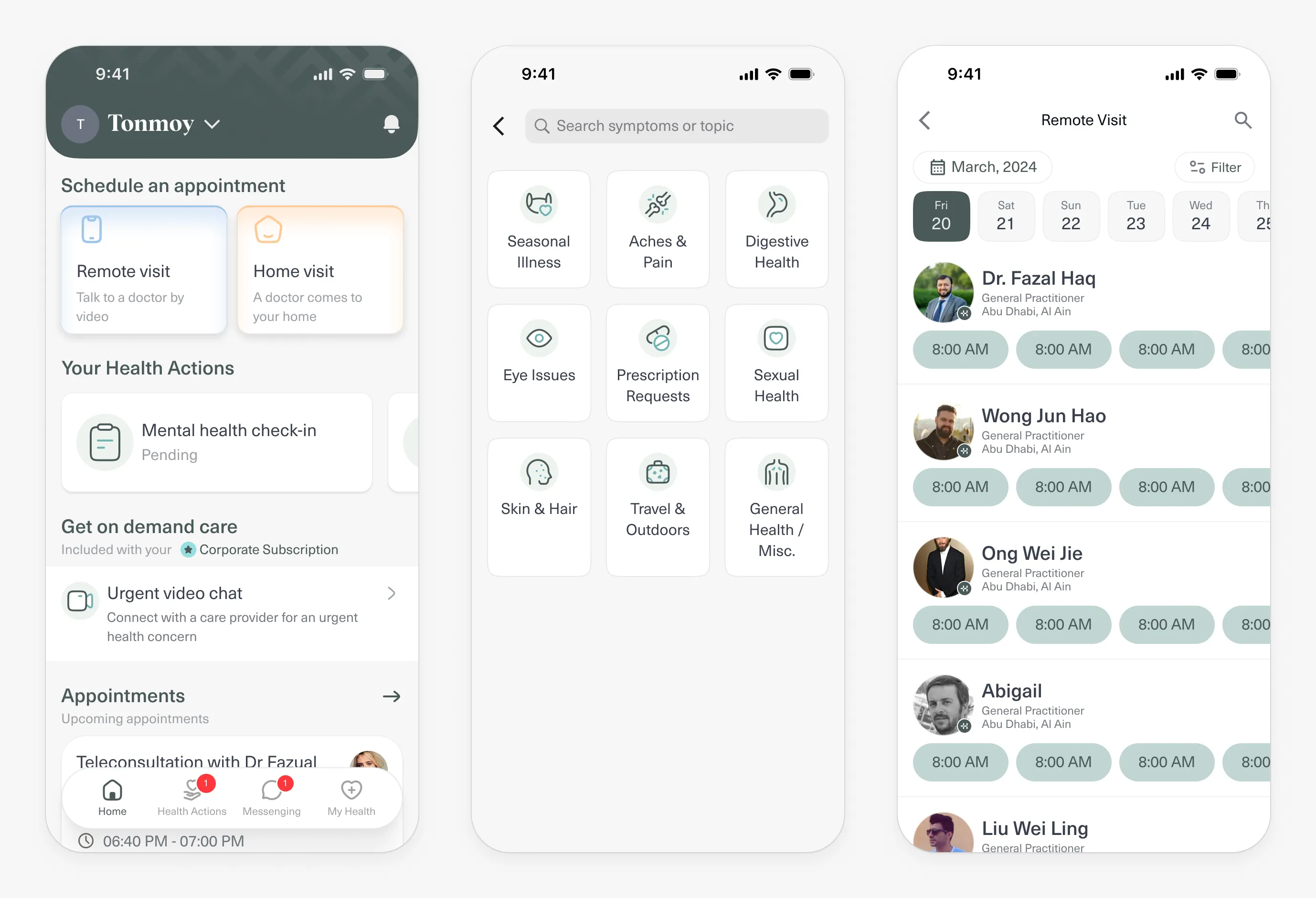
Now booking starts on the home screen, with Remote visit and Home visit right at the top. From there patients can start from what’s bothering them, grouped into plain topics.
On the right, every doctor shows their open slots under their name for the day picked in the date strip, so you see when you can be seen before you choose. The list is personalised too: a minor, an adult and an adult woman each see different doctors at the top.
My Health
Prescriptions, lab orders and lab results now come to the patient instead of the admin team delivering them.
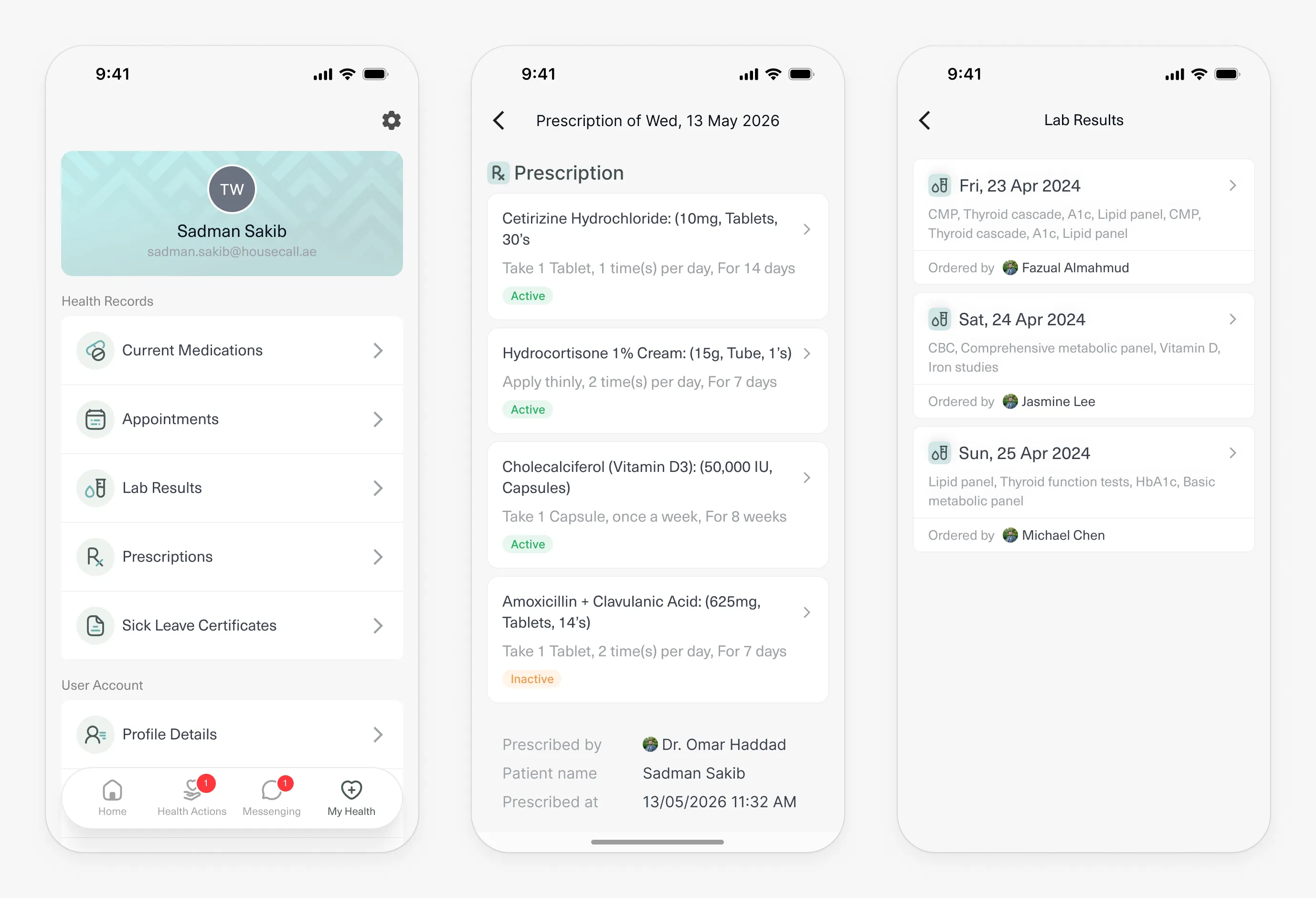
Each visit ends with a visit summary holding everything from that consultation. My Health, on the left, holds the same records across every visit: medications, appointments, lab results, prescriptions and sick leave certificates.
In the middle, a prescription lists each medicine with how to take it and whether it’s still active. On the right, lab results are listed by date, with the tests included and the doctor who ordered them.
Messaging
WhatsApp used to carry every kind of question, from moving an appointment to a symptom that wasn’t getting better.
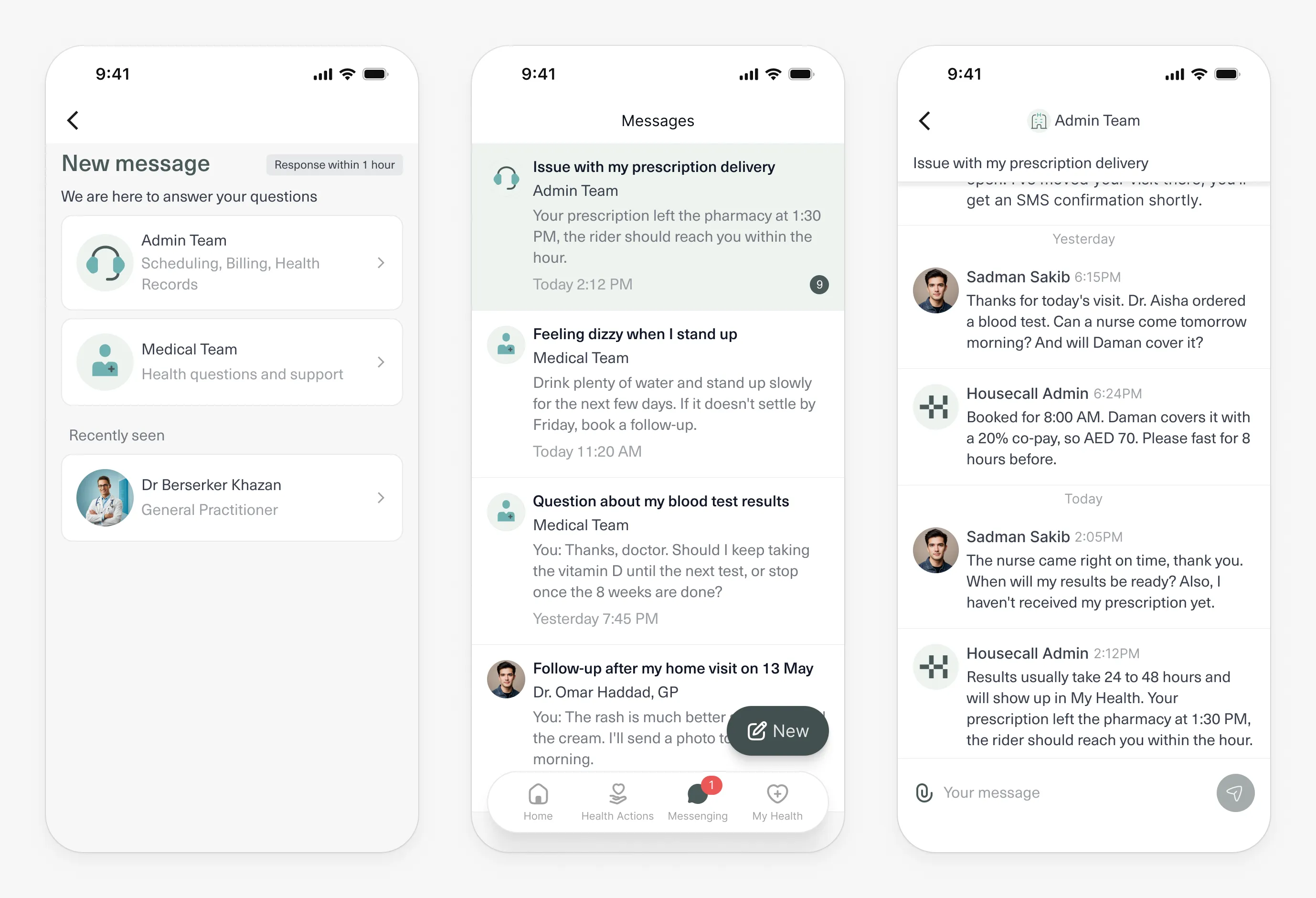
On the left, a new message starts by picking who it’s for. The admin team handles scheduling, billing and health records. The medical team handles health questions, and doctors you’ve recently seen are right below.
In the middle, every conversation sits in one inbox, labelled with who’s on the other end. On the right, a thread with the admin team, sorting out a home lab visit, insurance and a prescription delivery. Each question goes straight to the person who can answer it.
Outcome
There’s nothing clever in this app, and that’s on purpose. Each part takes a job that used to live in a web form, a phone call or the admin team’s to-do list, and gives it a plain home.
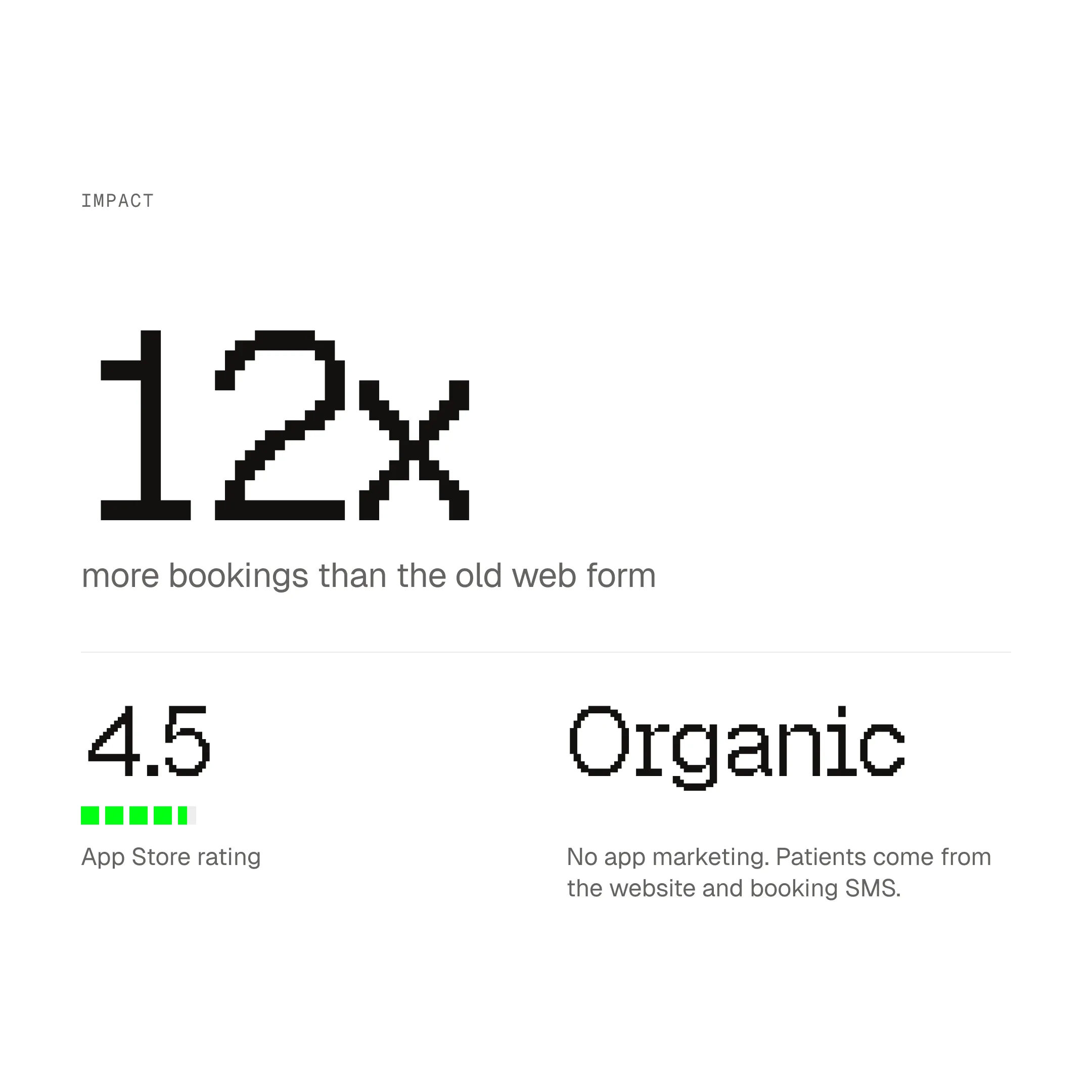
Bookings are up more than 12x since the web form, and the app holds a 4.5 rating on the App Store. We don’t actively market it. Most of that growth comes organically, from the website and our booking SMS.